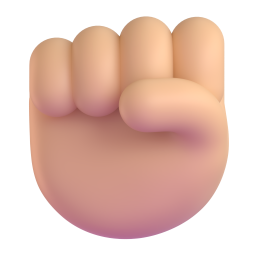
Make a fist
Play or stop the song on that side. Left hand = deck A, right hand = deck B.
 HandDJ
No controller. No setup. Just your hands.
Point a camera at yourself, raise your hands and mix. HandDJ matches the beats and makes the transition for you — on the bar, on the drop.
Works on laptops and phones · Your camera never leaves your device · No sign-up
Fist = play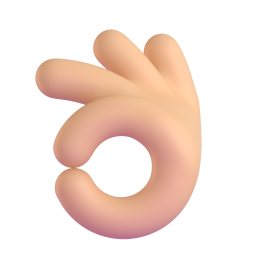 Pinch = volume
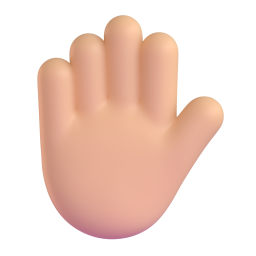 Cross hands = mix
How it works
Your left hand runs deck A, your right hand deck B. Everything else — tempo, beats, transitions — HandDJ does for you.
Play or stop the song on that side. Left hand = deck A, right hand = deck B.
Pinch your thumb and index finger and slide sideways — the volume follows your hand.
The signature move. HandDJ beat-matches the other song and blends it in on the next bar.
Made to be filmed
Hit REC and HandDJ films you mixing — camera, neon hands and the music, in one video. Post it straight to Instagram, TikTok or YouTube Shorts.
Inside the app
Tempo and beats lock automatically. Transitions start on the bar and can land right on the next song's drop.
Our own audio core in C++ — about 20 ms from command to sound.
No internet, no account. On a mountain with a laptop? Still mixing.
Hand tracking runs on your device. Camera images are never stored or sent.
An animated tutorial teaches every move on your own song — first by touch, then with your hands.
A queue per deck. When a song ends, HandDJ mixes into the next one by itself.
Echo, reverb, flanger, 3-band EQ and filter, hot cues, loops, rolls and a sampler — all by gesture.
Premium themes and new gesture & effect packs as they land.
Browser or app?
Pricing
🎁 Every app download starts with 7 days of PRO — free, no card.
$0
Forever. In the browser and the app.
$39 $59
One-time. Yours to keep.
$7.99/month
or $59/year
Prices in USD; local prices may differ. Paid plans are bought inside the app. Students: student pricing is coming.
Download
The full app runs without internet, with beat sync on your own music and every PRO feature to try for 7 days.
A camera (laptop webcam or phone), speakers or headphones, light in front of you, about 1–2 m from the camera.
The test version isn't code-signed yet: if Windows says "protected your PC", choose More info → Run anyway.
FAQ
Yes. The browser studio and the app's FREE plan are free forever. PRO and PLUS add effects, loops, hot cues and more — and every app download gets 7 days of PRO to try.
No. Hand tracking runs on your own device, in the browser or in the app. Camera images are never stored or uploaded. The apps don't even have internet permission.
No. Any laptop webcam or phone camera works. Good light in front of you helps most.
Yes. In the app, your music library. In the browser, pick songs from your device — or start with the built-in demo beats. You are responsible for having the rights to the music you record and post.
The browser studio works in Safari and Chrome today. Native iPhone and Mac apps are on the way.
The app's audio engine answers in about 20 ms; the camera adds a little more. HandDJ is built around gestures that don't need split-second timing — it lines things up on the beat for you.
Inside the app. On Android through Google Play; your purchase follows your Google account. Windows licence keys and an account page are coming.
Turn on a light in front of you, step back to about 1–2 m, keep both hands in the picture, and avoid a dark background right behind your hands.
It takes ten seconds to start. No download needed.
Try it free in your browser